iOS, iPadOS & macOS Application

Bill Organizer & Pay Reminder

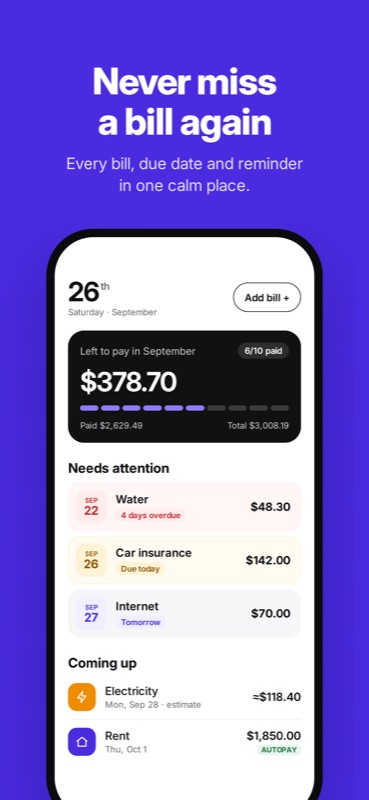
Never miss a bill again. Every bill on one calendar, with reminders that stop the moment you mark it paid. No bank login, no ads, no account.

Download Bill Organizer & Pay Reminder on the App Store

Coming Soon

Bill Organizer & Pay Reminder App Icon
Overview

Why Bill Organizer?

Rent, electricity, phone, insurance, streaming, credit cards. Every bill has its own date, its own amount and its own way of reminding you, usually too late. Most bill apps want your bank login to fix that. Bill Organizer doesn't.

How it works: add a bill once, pick how it repeats, and it lands on your calendar. You get a nudge before it's due, at the time you choose. Mark it paid with a swipe or straight from the notification, and the reminders stop. Repeating bills roll to their next date on their own, including tricky ones like "last business day" and "the 31st".

Built natively for iPhone, iPad and Mac. Your bills live on your device and, if you turn on sync, in your own private iCloud. No sign-up, no password, no bank connection. Ever.

Features

What You Get

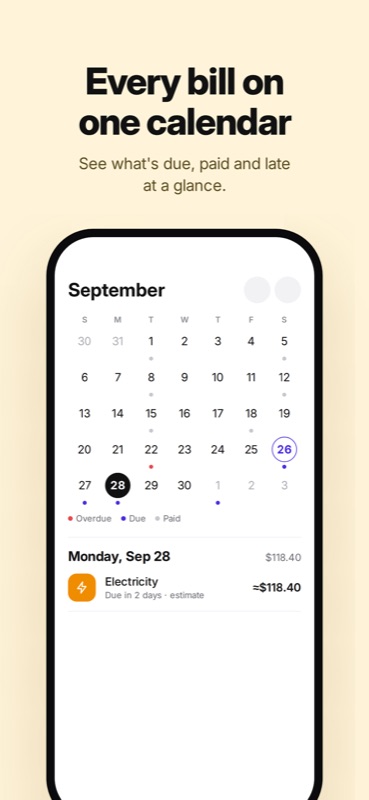
📅 One Calendar for Everything You Pay

Every bill shows up on a month calendar and a home screen sorted by what needs attention. Colored date badges tell you at a glance what is overdue, due today and coming up.

🔔 Reminders That Stop When You Pay

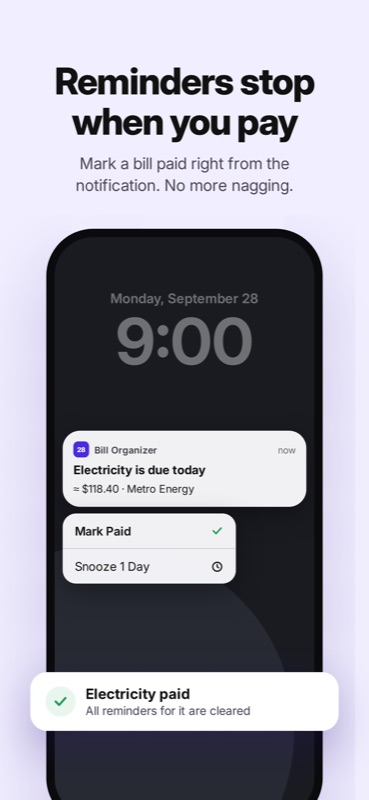
Get a nudge 3 days before, 1 day before and on the day, at the time you choose. Mark Paid or Snooze 1 Day right from the notification. Overdue bills remind you daily until settled. Quiet hours and weekend shifting are built in.

👆 Mark Paid in One Swipe

Swipe a bill to pay it. Partial payments, paying early and undo are all supported. Autopay bills settle themselves on their due date.

🔁 Smart Repeating Bills

One-time, weekly, monthly, every few months, yearly, last day of the month and last business day. Variable bills like electricity are shown as estimates.

💰 Know What's Left After Bills

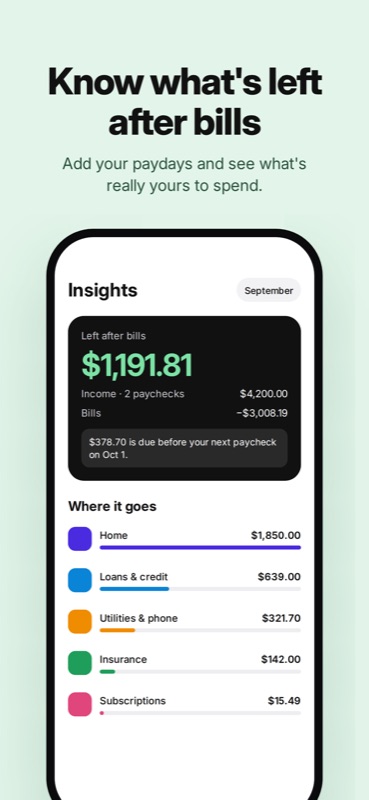
Add your paydays and Insights shows what is left after bills this month, what is due before your next paycheck, and where the money goes by category.

📱 Widgets, Siri & Spotlight

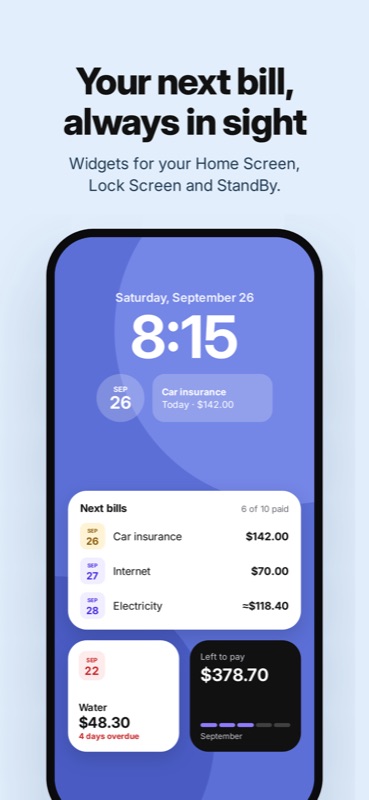
See your next bills on the Home Screen, Lock Screen and in StandBy. Ask Siri what's due this week, add a bill by voice, or mark one paid. Bills also show up in Spotlight search.

☁️ Sync Without an Account

Your bills sync between iPhone, iPad and Mac through your private iCloud. On iPad and Mac you get a sidebar, a sortable table and a calendar where you can drag a bill to a new date.

🔒 Your Data Is Yours

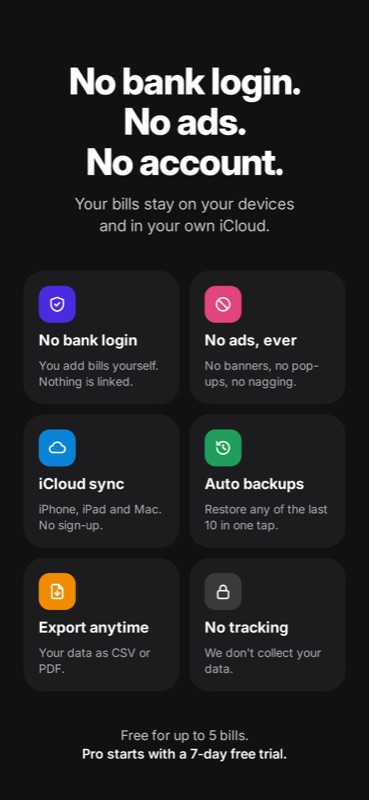
Automatic local backups after every change, one-tap restore of any of the last 10, and CSV or PDF export whenever you want it. No bank login, no ads, no tracking.

Screenshots

See It in Action

Under the Hood

Built With

Swift 6 SwiftUI SwiftData CloudKit WidgetKit App Intents UserNotifications StoreKit 2 Mac Catalyst

Pure Swift 6 with strict concurrency and SwiftUI, one codebase for iPhone, iPad and Mac. Bills, payments and income are stored with SwiftData in a shared App Group container, and sync through the user's private CloudKit database. A pure, fully tested recurrence engine handles month-end and business-day rules.

Reminders are local notifications with actionable Mark Paid and Snooze buttons, rescheduled on every change and from background refresh. WidgetKit widgets cover Home Screen, Lock Screen and StandBy, App Intents power Siri and Shortcuts, and Pro is verified with StoreKit 2. No third-party dependencies.

Pricing

Free to Start

Free

  • ✓ Up to 5 active bills
  • ✓ Reminders and notification actions
  • ✓ Calendar and mark paid
  • ✓ Automatic backups
  • ✓ CSV export

Pro

  • ✓ Unlimited bills
  • ✓ Widgets
  • ✓ iCloud sync across iPhone, iPad and Mac
  • ✓ Insights: left after bills, categories
  • ✓ PDF export and custom categories
  • ✓ Per-bill reminder rules

Monthly, yearly with a 7-day free trial, or a one-time lifetime purchase.

Free covers the essential bills. Pro is for tracking everything you pay, on every device.

Privacy

Your Bills Stay Yours

Everything you enter is stored on your device and, if you turn on sync, in your own private iCloud. No bank login, no account, no analytics, no ads. We never see your bills.

Support

Questions?

Have feedback, questions, or need help? I'd love to hear from you:

[email protected]

Fullscreen Screenshot