iPhone & iPad Application

PDF Converter & Maker

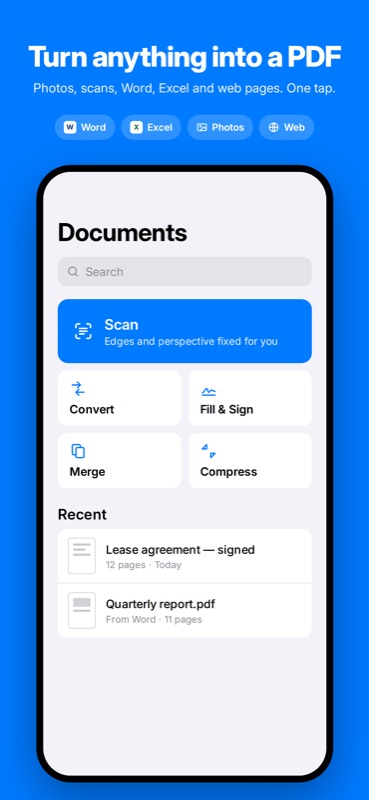
Turn anything into a PDF, and back. Scan paper, convert photos, Word, Excel and web pages, then fill, sign, merge and compress. Everything happens on your device. Nothing is uploaded.

Download PDF Converter on the App Store

Coming Soon

PDF Converter App Icon
Overview

Why PDF Converter?

Most PDF apps on the App Store upload your files to a server, ask for an account, and show a paywall only after you have finished the work. A lease, a passport scan or a tax form should not have to leave your phone just to become a PDF. PDF Converter does the whole job locally.

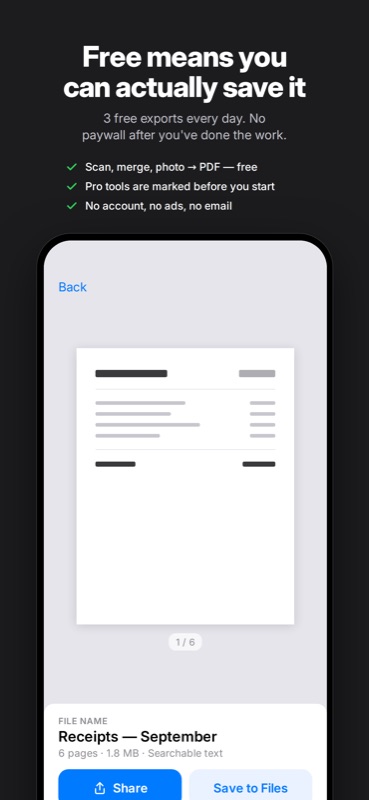
How it works: tap Scan to capture paper with automatic edge detection, pick photos, or open a Word, Excel, PowerPoint, Pages, RTF or text file. Office documents are read by the app's own OOXML reader and laid out on real pages with WebKit. From there you can fill form fields, add a signature, reorder pages, compress the result and share it or save it to Files.

Built natively for iPhone and iPad, with a Share extension, an Action extension and Siri Shortcuts, so you can convert straight from Photos, Files or Safari. Free-tier limits are shown before work starts, never at the save step.

Features

What You Get

📷 Scans That Come Out Straight

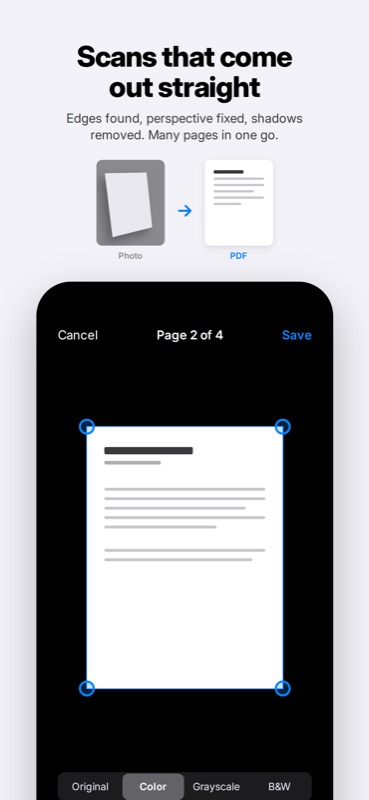
Edges are found and perspective is corrected automatically. Scan many pages in one go, adjust corners, and pick color, grayscale or black and white.

🔄 Convert Anything to PDF

Photos and screenshots with 1, 2, 4 or 6 per page. Word, Excel, PowerPoint, Pages, Numbers, Keynote, RTF, text and web pages. And back again: PDF to JPG, PNG, text or Word.

✍️ Fill & Sign

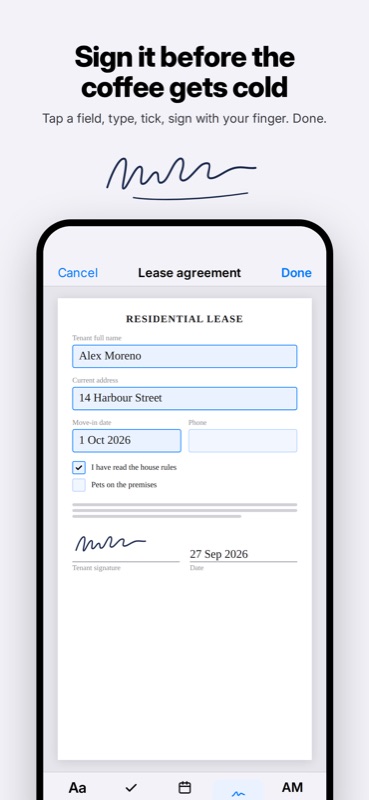
Fills real form fields, or adds text, checkmarks and dates to any PDF. Draw your signature with a finger or Apple Pencil, or import a photo of it. Everything is flattened on export, so what you send is what they see.

🗂️ Organize Pages

Merge documents, split them, reorder, rotate and delete pages. On iPad, a library sidebar lets you pull in pages from your other documents.

🗜️ Compress With a Size Preview

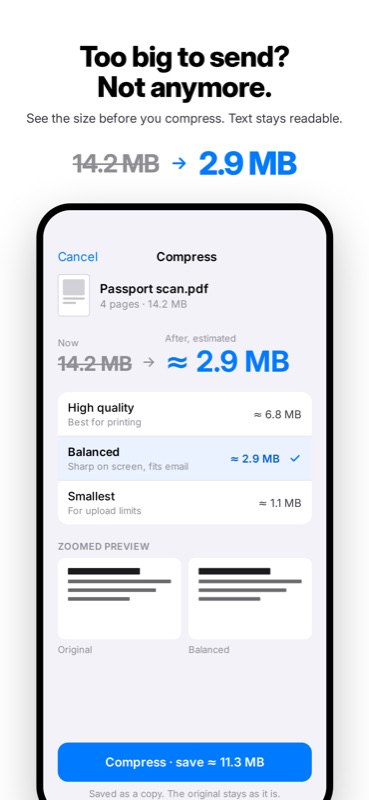
Three presets with an estimated size before you start and a zoomed preview. Text stays searchable and selectable, and the original is kept as it is.

🔎 Searchable Scans

On-device text recognition makes scans searchable and lets you copy text out of them. The language is detected automatically.

🔐 Password Tools

Add a password to a PDF before you send it, or remove one when you know it.

📤 Share Sheet & Shortcuts

Convert photos, files or a web link from any app with the share sheet. Siri Shortcuts for Convert to PDF, Compress PDF and Merge PDFs.

🔒 Private by Design

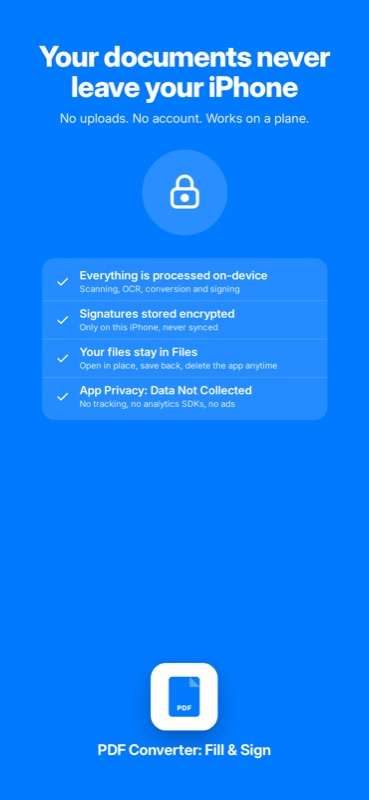
No account, no uploads, no ads, no analytics. Saved signatures are encrypted on the device. App Privacy: Data Not Collected.

Screenshots

See It in Action

Under the Hood

Built With

Swift 6 SwiftUI PDFKit VisionKit Vision OCR WebKit PencilKit SwiftData StoreKit 2 App Intents CryptoKit

Pure Swift 6 with SwiftUI and no third-party dependencies. Scanning uses VisionKit, text recognition uses Vision, and every page operation goes through PDFKit and Core Graphics. Word, Excel and PowerPoint files are unzipped with Apple's Compression framework and parsed by a hand-written OOXML reader, then paginated by WebKit with real page sizes and margins. PDF to Word is produced by a small native DOCX writer.

Conversions run in a job engine built on async/await with memory-aware limits. The document library is stored with SwiftData, saved signatures are sealed with AES-GCM via CryptoKit using a key kept in the Keychain, and Pro is verified with StoreKit 2. Share and Action extensions hand files to the app through an App Group, and App Intents expose conversions to Siri and Shortcuts.

Pricing

Free to Start

Free

  • ✓ 3 exports a day
  • ✓ Documents up to 10 pages
  • ✓ Scan and photos to PDF
  • ✓ Merge and PDF to JPG
  • ✓ Fill & sign one document a day

Pro

  • ✓ Unlimited exports and pages
  • ✓ Office and web pages to PDF
  • ✓ PDF to Word and text
  • ✓ Searchable scans and compression presets
  • ✓ Saved signatures and password tools

Monthly or yearly subscription (3-day free trial on yearly), or a one-time lifetime purchase.

The free tier covers everyday scans and signatures. Pro is for people who convert Office files and handle documents every day.

Privacy

Your Documents Stay Yours

Scanning, text recognition, conversion, signing and compression all happen on your device. Documents are never uploaded, and there is no account, no analytics and no ads. The only network request is loading a web page you ask to convert.

Support

Questions?

Have feedback, questions, or need help? I'd love to hear from you:

[email protected]

Fullscreen Screenshot